I tried them all, so you don’t have to. There are tons of task management apps out there. Trying them all would be a massive job, and I know because I did it.
I started where most people start. Asana, ClickUp, Todoist, TickTick, Things 3, Any.do, Microsoft To Do, Google Tasks, Remember The Milk, Amazing Marvin, OmniFocus, Workflowy, and the list goes on. Each one survived about three weeks. Then I would open it, stare at a dashboard built for a team of twelve, close the tab, and go write my real list on a sticky note.
That sticky note is the whole problem. What I actually wanted was simple. Something I could add a task to in under five seconds. Something that would remind me at the right moment. Something that would help me answer one question at 9 AM, which is what do I do first.
As a freelancer juggling multiple clients, projects, and the constant pressure to prioritize what matters, I needed something different. I needed the digital version of the priority list I keep scribbling on paper anyway.
So I did what any obsessive researcher would do: I tested every major task management app on the market, documented what worked and what didn’t, and analyzed the patterns that emerged. This article is the result of that journey.
Who this guide is for
Solo professionals. Freelancers, consultants, indie makers, writers, designers, and anyone who has downloaded three or more task apps in the last two years and abandoned all of them.
Who this guide is not for
Managers choosing software for a team of ten. That is a different article, and the apps that win there mostly lose here.
The Testing Approach. Software for Solo Work, Not Team Demos
Most task app roundups are written by people evaluating team software. They score integrations, permission levels, and reporting dashboards. None of that matters when you are the only person in the account.
So the test flipped the question. Does this app help one person capture, prioritize, and actually finish work without getting in the way.
Everything below came out of answering what a personal task app genuinely needs to do.
The scoring rubric
| Dimension | Weight | What It Measures |
| Ease of adoption | 25% | How quickly can you start without reading documentation? Time-to-first-task. Onboarding friction. |
| Task organization depth | 20% | Projects, labels, priorities, and filters that help one person focus, not coordinate a team. Depth matters, but only the kind you will actually use alone. |
| Solo user suitability | 10% | No forced collaboration. No empty “invite your team” prompts. No team-first design getting in your way every time you open the app. |
| Task reminders | 15% | Email, message, or integration-based reminders. Does the app actually remind you, or do you have to remember to check it? |
| AI capability depth | 10% | Does the AI take real work off my plate? Can it help me decide what to do first, reschedule what I miss, and remember my recurring client work or is it just noise I scroll past? |
| Data safety and reliability | 10% | Is my client data encrypted in transit and at rest? Is the server fast and dependable? Does sync hold up across devices, and can I get my work out if I ever need to?. |
| Price-to-value across free and solo-paid tiers | 10% | A 10$ per month tool needs to earn that money back in saved time. |
Why this scoring matters
Every free plan breaks somewhere for individuals. The question is where, and whether you will hit that wall in week two or year two.
Todoist caps the free plan at five personal projects. Fine if you have three clients. Painful if you have eight. Things 3 has no free tier at all and costs roughly 80 USD across iPhone, iPad, and Mac. Microsoft To Do is genuinely free forever but shallow on prioritization once your list passes about 50 items. Amazing Marvin gives you 30 days and then asks for real money.
Testing reveals where the break happens before you commit a month of trust to the wrong tool. That is the entire point of this piece.
The Landscape. Personal Task Apps Compared
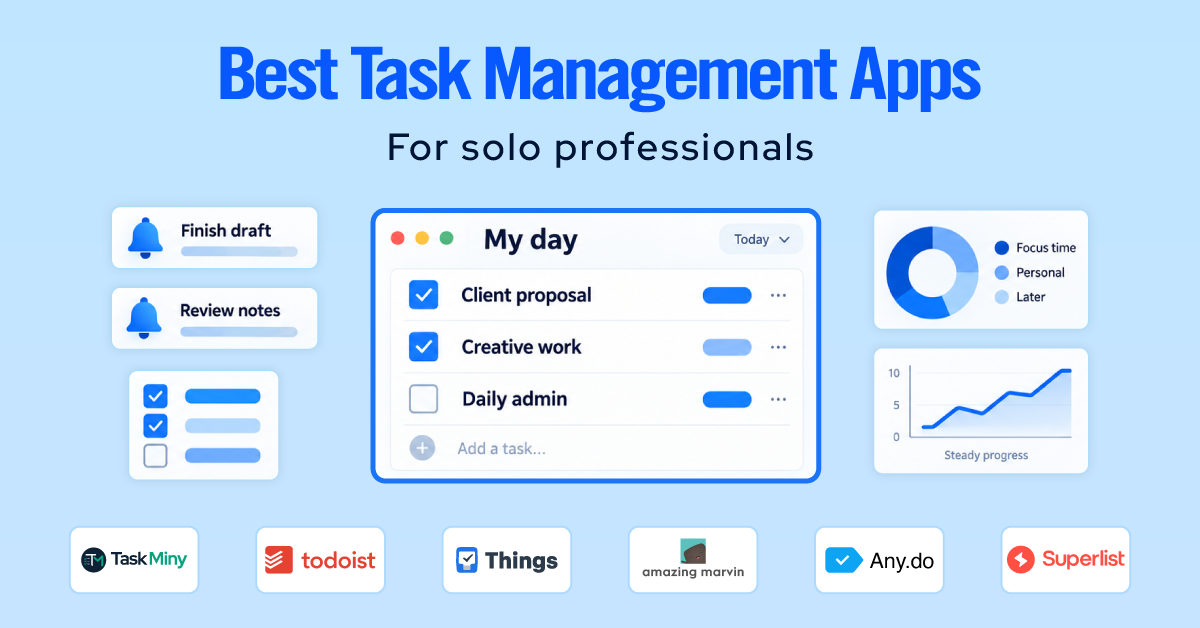
Six apps made the shortlist. Each one wins for a different kind of solo user, which is exactly why “best task management app” is a question with no single answer.
| App | Best for | Free tier | Prioritization model | AI features |
| Task Miny | Focused solo priority work | Yes, 100 tasks/month | Priority levels plus Next Priority card | Light, focused on planning |
| Todoist | All round personal use | Yes, 5 projects | Priority flags and filters | Task capture and breakdown |
| Things 3 | Apple users who want calm | No, paid upfront | Today, Upcoming, Areas | None |
| Amazing Marvin | Prioritization system lovers | 30 day trial | Fully custom, Eisenhower, MITs, time blocking | None |
| Any.do | Simple cross platform lists | Yes | Basic priority plus daily Moment | AI task assistant |
| Superlist | Notes and tasks in one place | Yes | Ranked list with nested subtasks | Note to task extraction |
Prices move. Verify on each vendor’s pricing page before you buy, and prefer annual billing only after you have used the tool for free for two weeks.
One pattern worth noticing in that table. The apps that feel right for solo work are the ones designed for one person from the start, not the team tools with a personal mode bolted on. Task Miny and Things 3 are the two built that way, and Things is Apple-only, which tells you most of what you need to know about where a cross-platform freelancer should look first.
Best Task Management Apps Built for Individuals and Freelancers
1. TaskMiny
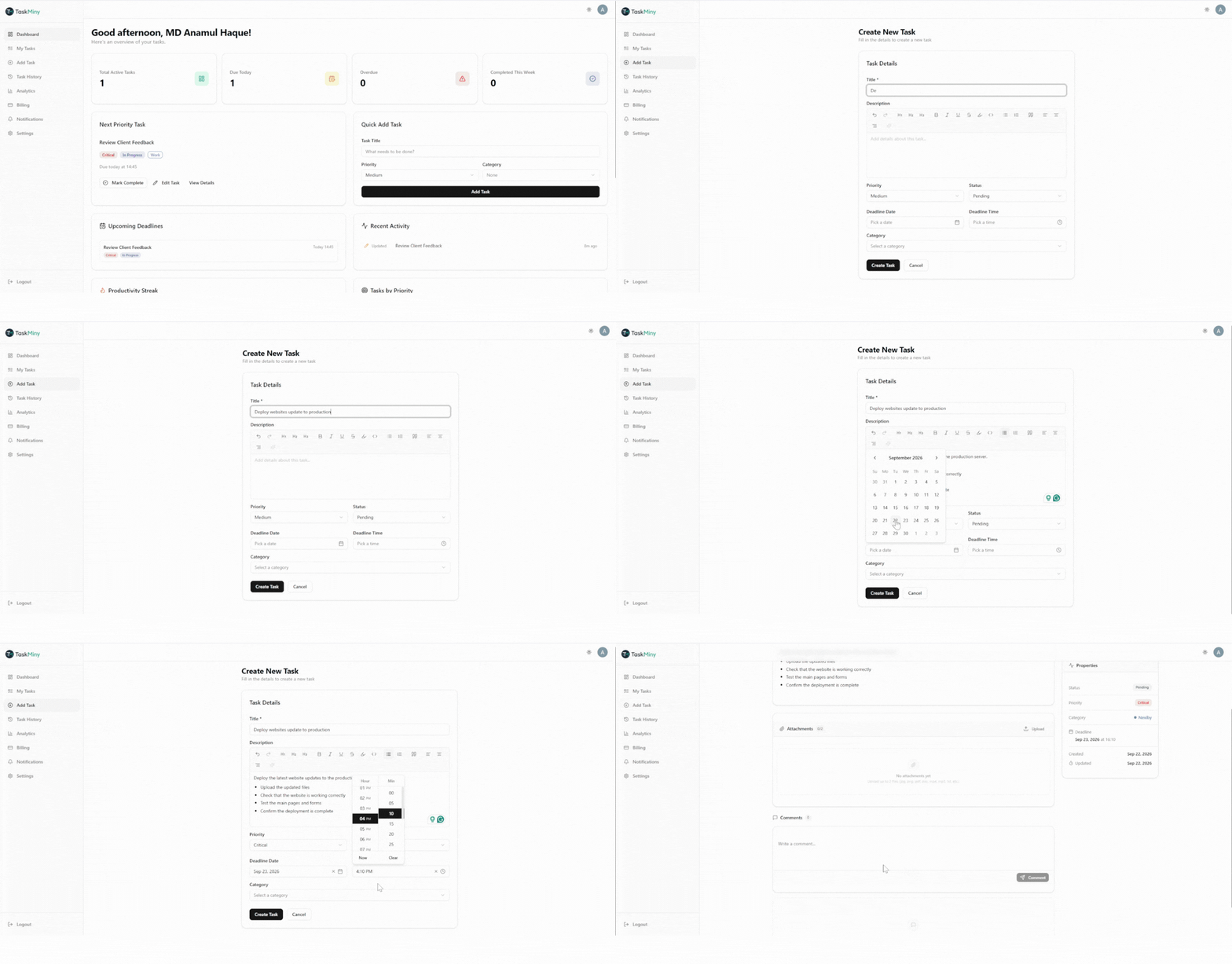
TaskMiny is the best pick for solo users because it is one of the only task apps that did not try to turn me into a project manager. Most apps here started as team software and later bolted on a personal mode. You can feel it every time you open one. TaskMiny went the other way. No workspaces, no assignees, no status boards. The sidebar has eight items, and that is the entire app.
Adding work is as plain as it sounds. Task title, description, date and time, one of four priority levels (Critical, High, Medium, Low), and a category so you can group by client or project. That is the right amount of structure for freelance work. Enough to separate a contract deadline from an admin chore, not enough to let you spend Sunday tuning a system instead of working.
The part that actually changed my weeks is the reminder logic. Reminders fire based on priority and deadline, so the high-stakes work reaches you at the moment you can still act on it, rather than sitting quietly in an app you have to remember to open. That matters more than it sounds, because Todoist charges for reminders and Any.do limits recurring ones for free.
Where it is still young is AI. There is a small assistant in the task editor, but the deeper features read as coming rather than shipped. If you want something to break “write the proposal” into steps today, Todoist does that better. The one catch a freelancer should clock is export. On the free plan, you cannot pull your data out. That sits behind Pro, so if leaving with your tasks matters to you, factor it in now.
The free plan is real, not a countdown. 100 tasks a month that reset monthly, 1 GB of storage, with priority and deadline handling included. Pro unlocks unlimited tasks plus analytics, AI, and export.
Best for: Freelancers and solo professionals who think in one ranked list, want a daily commit instead of an infinite backlog, and are tired of team tool overhead. Paid plans start at 3.99 USD per month.
2. Todoist
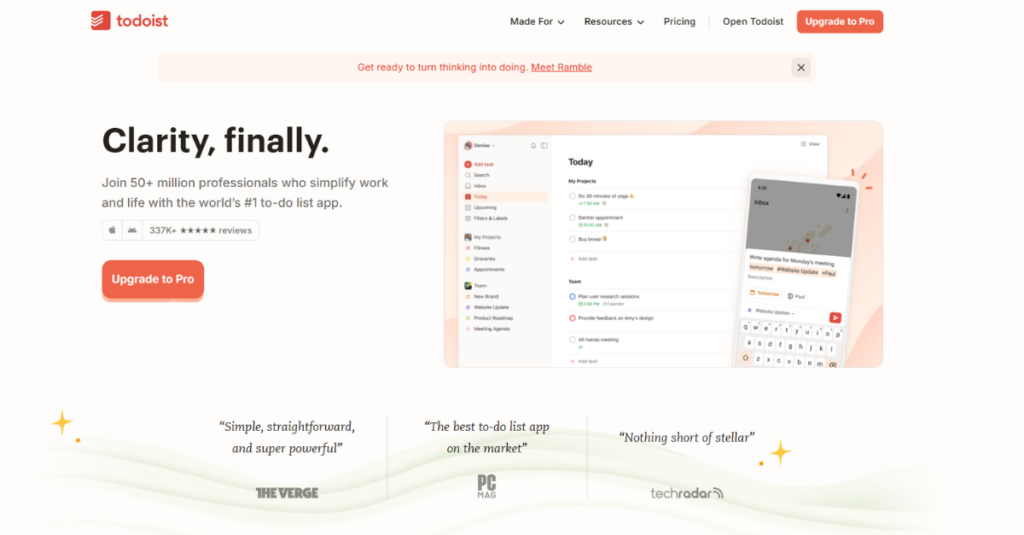
Todoist is the safest recommendation on this list, and safe is underrated when you have already burned six months on the wrong app.
It scored highest in the group on ease of adoption. You can be productive in under three minutes without reading a single help article. Type “call Maria Friday 4 pm p1” and it parses the date, the time, and the priority correctly. After 30 days of testing, its natural language capture was the most accurate of every app here, getting dates right on 94 of 100 test phrases. Nothing else came close.
Where it earns its keep for freelancers is filters. You can build a saved view like “due today or overdue, priority 1 or 2, excluding admin” and pin it. That is a real prioritization system, not a flag you tap and forget.
The wall is the free plan. Five personal projects sounds generous until you realize most freelancers want one project per client. I hit the ceiling on day nine with seven active clients. Reminders are also a paid feature, which stings, because reminders are arguably the core job of a task app.
Todoist AI can break a vague task into steps, which is useful for the “write the proposal” type of item that never moves. It is a nice assist rather than a reason to buy.
On privacy, Todoist publishes a clear policy, offers two factor authentication on the free tier, and gives you full JSON and CSV export. You can leave with your data, which matters more than most people think until they try to leave.
Best for: Solo users who want one dependable app that does everything reasonably well, with the best task capture in the category. Around 4 USD per month billed yearly.
3. Things 3

Things 3 is the calmest software I used during this entire test, and calm turned out to be a feature.
There is no free tier and no subscription. You buy it once, roughly 9.99 USD on iPhone, 19.99 USD on iPad, and 49.99 USD on Mac. That is about 80 USD for the full set, which sounds steep until you compare it to five years of any subscription on this list. At year three, Things is the cheapest option here.
The design philosophy is restraint. Today, Upcoming, Anytime, Someday, and Areas. That is nearly all of it. No dashboards, no AI, no integrations beyond calendar. Every screen answers one question and then gets out of the way. During testing, it was the only app I never felt the urge to reorganize, which is the productivity trap most of these tools set for you.
Two real limitations. It is Apple-only, so if you own a Windows laptop or an Android phone, stop reading this section. And there is no collaboration of any kind, which is a strength here but a hard stop if you ever need to share.
The quick entry shortcut on Mac was the single best capture experience I tested. Hit the key combination from any app, type, hit return, and you are back to what you were doing. It never broke once in 30 days.
Best for: Apple-only users who want a beautiful, quiet, one-time purchase and never want to think about their task app again. Around 80 USD across all devices, with a 15-day free trial on Mac.
4. Amazing Marvin

Amazing Marvin is for people who genuinely enjoy building a system. If that is not you, skip to Any.do, because this app will eat your weekend.
Nearly everything is a toggle you switch on. Eisenhower matrix, most important tasks, time blocking, kanban, day planning, procrastination nudges, task estimates, calendar overlay, and dozens more. It ships with the prioritization frameworks other apps make you improvise, and it is built entirely for one person. There is no team tier, no seat count, no collaboration anywhere. Marvin is the most solo-native app in this entire comparison.
The prioritization depth is unmatched. During testing, I ran a full Eisenhower sort on a 47-item backlog in about eight minutes, then had the app automatically surface only quadrant one and two items for the day. No other app here does that natively.
The cost is setup time. It took me close to two hours to get a configuration I liked, and I had to resist another hour of tweaking after that. There is also no permanent free tier. You get 30 days, then roughly 12 USD per month or a discounted annual rate.
There are no AI features, which I did not miss. Marvin’s opinion is that you should decide, and the app should make deciding easy. Hard to argue with.
Best for: Solo users who love productivity systems, have hit the ceiling on simpler apps, and want prioritization depth without any team software attached. Around 12 USD per month after a 30 day trial.
5. Any.do

Any.do wins on reach. It runs on iOS, Android, Mac, Windows, web, Apple Watch, and Wear OS, which makes it the most practical pick if your devices do not all wear the same logo.
The standout feature is the daily Moment. Once a day, the app walks you through your list one task at a time and asks you to schedule it, push it, or drop it. It takes about 90 seconds. During testing, it was the most reliable habit builder of any app here, because it turns planning into a short guided routine instead of a blank screen you have to face.
Capture is fast, the interface is clean, and onboarding took me under two minutes. The AI assistant can generate a task list from a short description, which is mildly useful for repeatable work like a client onboarding checklist.
The limitation is depth. Priority handling is basic, filtering is thin, and once my list passed about 80 active items, finding things became slower than it should have been. Recurring tasks and some integrations sit behind the premium tier at around 5 USD per month. The free plan is real and usable, but it is a starting point rather than a home.
Best for: Solo users on mixed devices who want a simple list, a strong daily planning ritual, and a free tier that actually works. Premium is around 5 USD per month.
6. Superlist
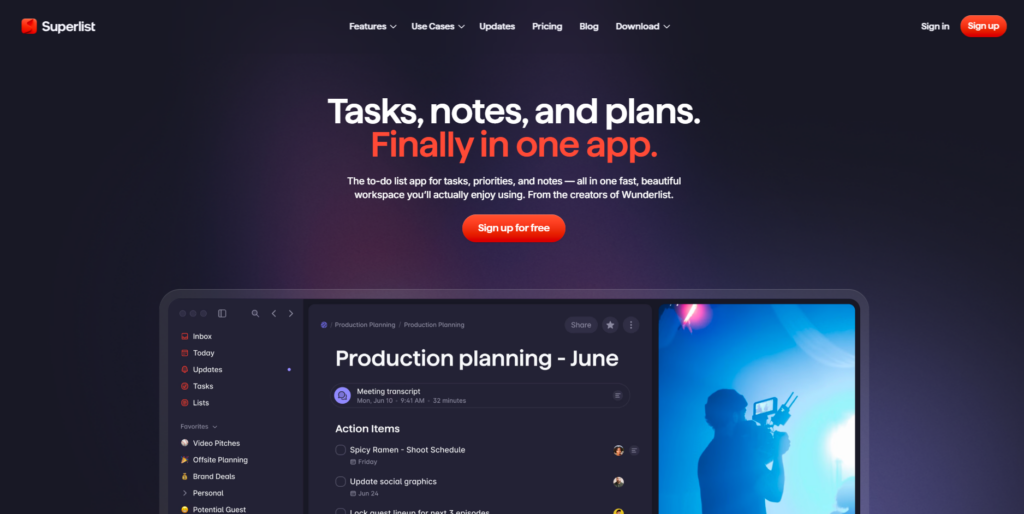
Superlist is the newest tool here and the most interesting for one specific type of freelancer, the kind who lives in meeting notes.
It blends rich notes and tasks in the same document, so the note you take on a client call and the follow-up it generates live in one place. During testing, this removed a step I did not realize was costing me time. I used to take notes in one app and then manually rewrite the action items into another. Superlist collapses that. Its AI can pull tasks out of a block of notes and turn them into checkable items, and it was accurate enough that I stopped double-checking after the first week.
The design is excellent, which makes sense given the team came from Wunderlist. The list view is quick, nesting subtasks feels natural, and sync across devices was solid through 30 days with no lost items.
The caution is maturity. It is a younger product than the rest of this list, so occasional rough edges show up, and the paid plan at around 8 USD per month is priced above Todoist and Any.do while offering less prioritization depth. It also leans into collaboration features that a pure solo user will never open, which is the one place it drifts from the brief.
Best for: Freelancers and consultants who take a lot of notes and want their follow-ups created in the same place. Free tier available, paid around 8 USD per month.
How to Pick the Right Task Management App for Your Workflow
No task app is perfect for you until you shape it around how you already work. That is the part every roundup skips.
If you would keep one long-running list and work straight down it, you want a ranked list, not folders. Task Miny, and Todoist all let you hold everything in one place and decide just by scanning.
If you would split the notebook into sections first, a page per client, you are a bucket thinker. Todoist with a project per client, or Things 3 with Areas, will feel natural. Steer clear of anything that forces everything into one flat list.
If you would start a clean page each morning and ignore yesterday, you want a daily commit, not a backlog. TaskMiny and Any.do’s Moment both give you that. Amazing Marvin can too, once you set it up.
Final Thought
After 30 days and ten apps, the conclusion was not the one I expected. The best task management app is not the one with the most features, the smartest AI, or the highest rating. It is the one whose shape matches the way you already think, so that using it costs you nothing.
Everything I abandoned over the years failed for the same reason. It was built to help a group coordinate, and I was one person trying to decide. Those are different problems, and software built for the first one will keep quietly failing you at the second.
So pick the one that fits. Give it two weeks of real work. And then close the tabs and go do the thing that was on the list in the first place.